If you've been following along, this is my third piece on Windows 365 for Agents. The first was my "what I have learnt so far" reflection. The second walked through what the platform actually is. This is the fun one. I want to show you what it looks like when you point it at an actual customer problem.
With Microsoft 365 E7 about to land and the broader rollout of Windows 365 for Agents heating up beyond the US, this feels like the right moment to get the demo out into the wild.
The Setup: Meet Apex Consulting
Apex Consulting is a fictional firm I built this scenario around, but the situation is one I have seen plenty of times for real. They run an internal CRM that's fifteen years old. They call it APEX CRM XP. It is a desktop application that lives on every consultant's machine. It works. The data inside it is gold. The problem is everything around it.
There is no API. There are no connectors. There is no MCP server. There is no clean way to extract data, push data, or hook anything modern into it. A replacement project has been quoted at well over a million pounds and would take eighteen months. So, in the meantime, the firm relies on people. Sales reps and managers spend the first hour of every morning logging in, looking up opportunity statuses, copying notes, and pulling them into Outlook so the right people see the right updates.
This is the kind of work that, until recently, you simply could not automate without either a brittle RPA bot or a full rebuild project. Now there is a third option.
The Brief
The agent needed to do something quite specific. At the start of each working day, it needed to log into Outlook to collect a list of Opportunity IDs, jump into APEX CRM XP, look up each opportunity, capture the latest updates, and email a tailored summary to the relevant person. That could be the lead sales rep, their manager, or whoever was responsible for the deal.
Run it on a schedule, and by the time the team logs on at 8am, every stakeholder already has their morning brief sitting in their inbox.
Building It on Windows 365 for Agents
Here is where the platform earns its keep. A Windows 365 for Agents Cloud PC is a real Windows desktop, Entra-joined, Intune-managed, and pulled from a host pool when the agent needs one. Apex's legacy CRM is simply installed on the host pool image, in the same way they would deploy any other app to their human users. Nothing bespoke. No special tooling. No parallel governance.
When the scheduled trigger fires, the agent checks out a Cloud PC, does the work, and checks it back into the pool. You pay for the time it is running.
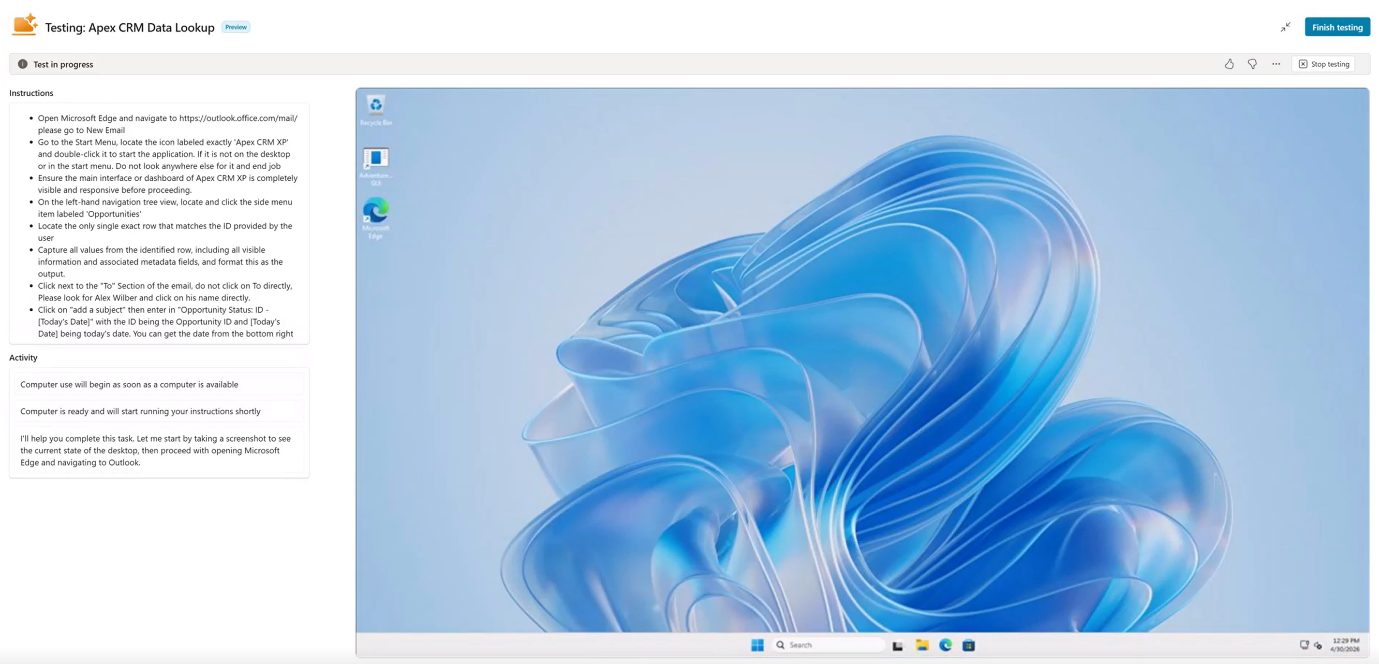
The agent is using Microsoft Copilot Studio computer use. That is the layer that gives it eyes and hands. The Computer-Using Agent reads the screen visually, decides what to do, and clicks and types its way through the apps. It does not follow brittle scripted selectors like older RPA tools. If a button moves slightly or the layout changes, it tends to cope.
First job: open Outlook on the web. The agent signs in with its own Microsoft Entra Agent ID. Its credentials live in Entra, not in scripts or config files, and the audit log knows this is the agent acting, not a human.
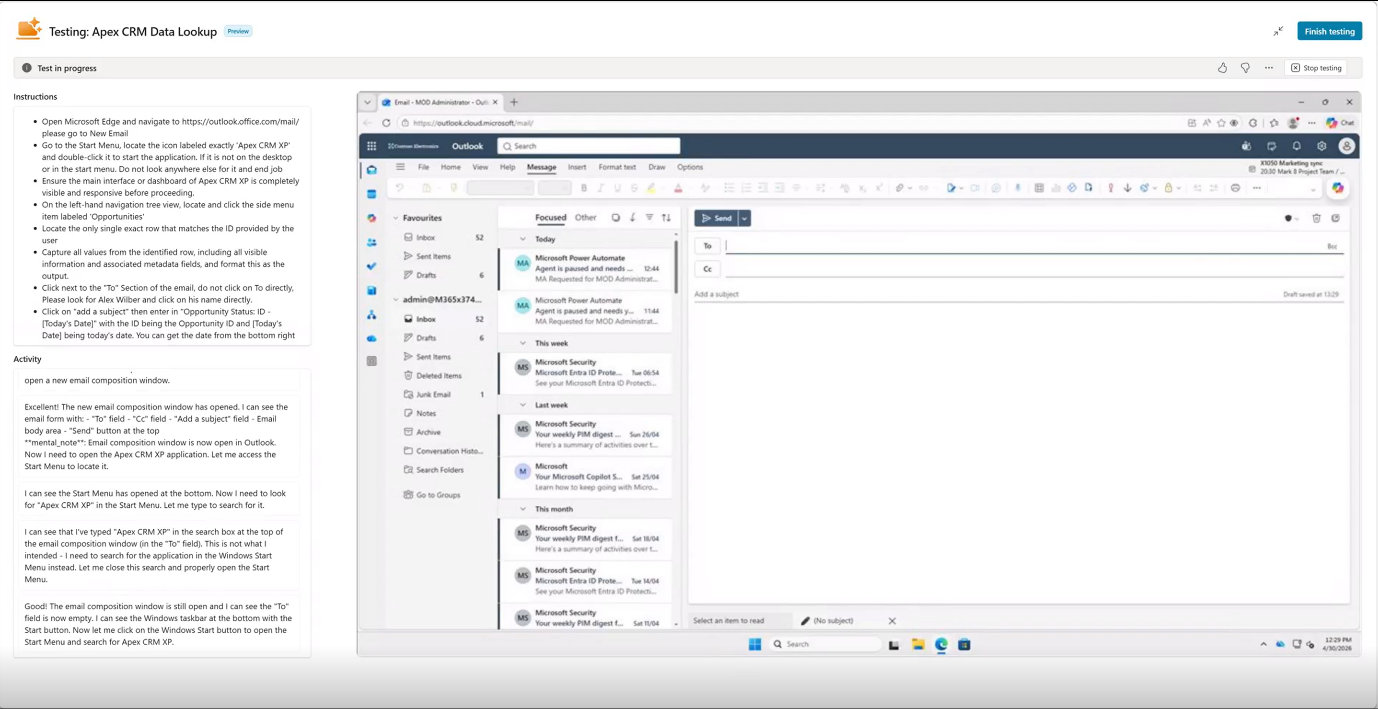
Once it has the list of Opportunity IDs, it pivots over to the legacy CRM. Because the Cloud PC is a real desktop with real Windows apps installed, opening APEX CRM XP is as simple as clicking the icon. No magic. No port forwarding. No middleware. The agent finds the application, launches it, and waits for the splash screen to clear.
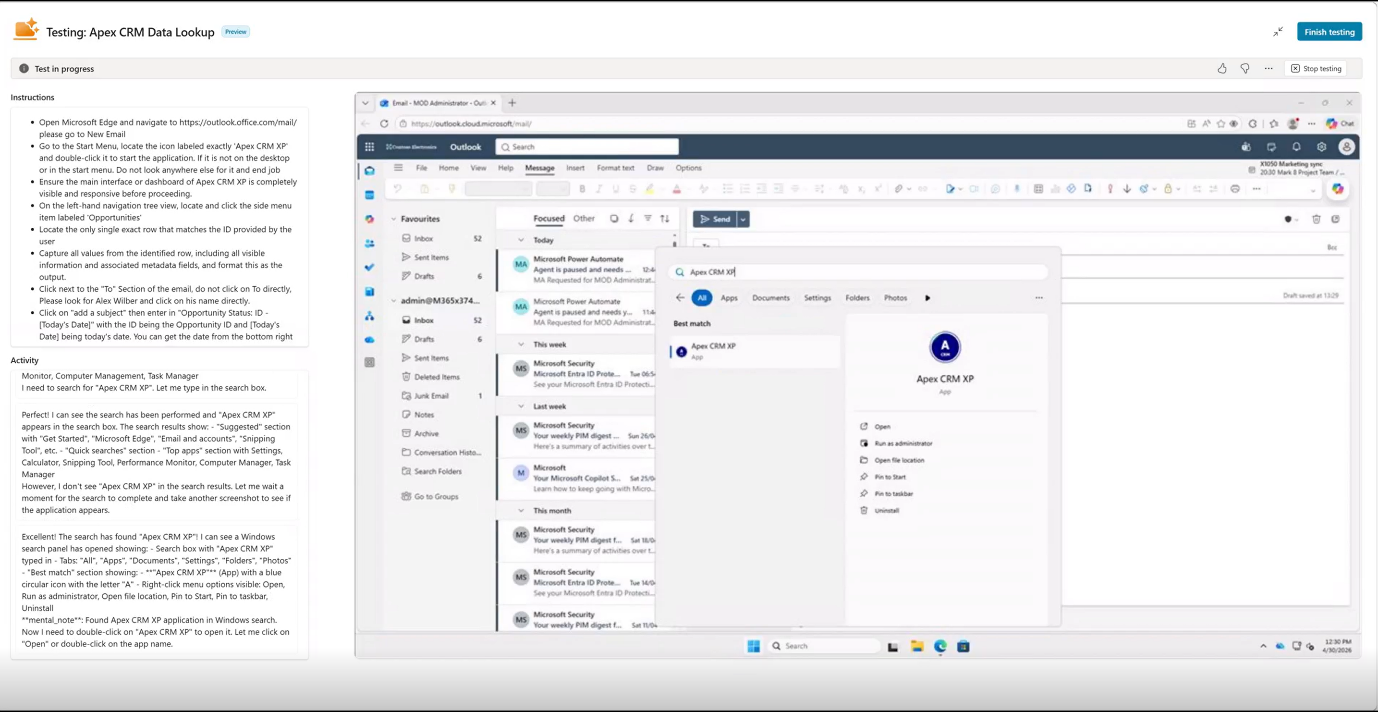
This is the bit that genuinely impresses people when I demo it live. The agent navigates the CRM by looking at the screen as a person would. It searches for the Opportunity ID, opens the record, and reads the latest activity, deal stage, next steps, and named contact.
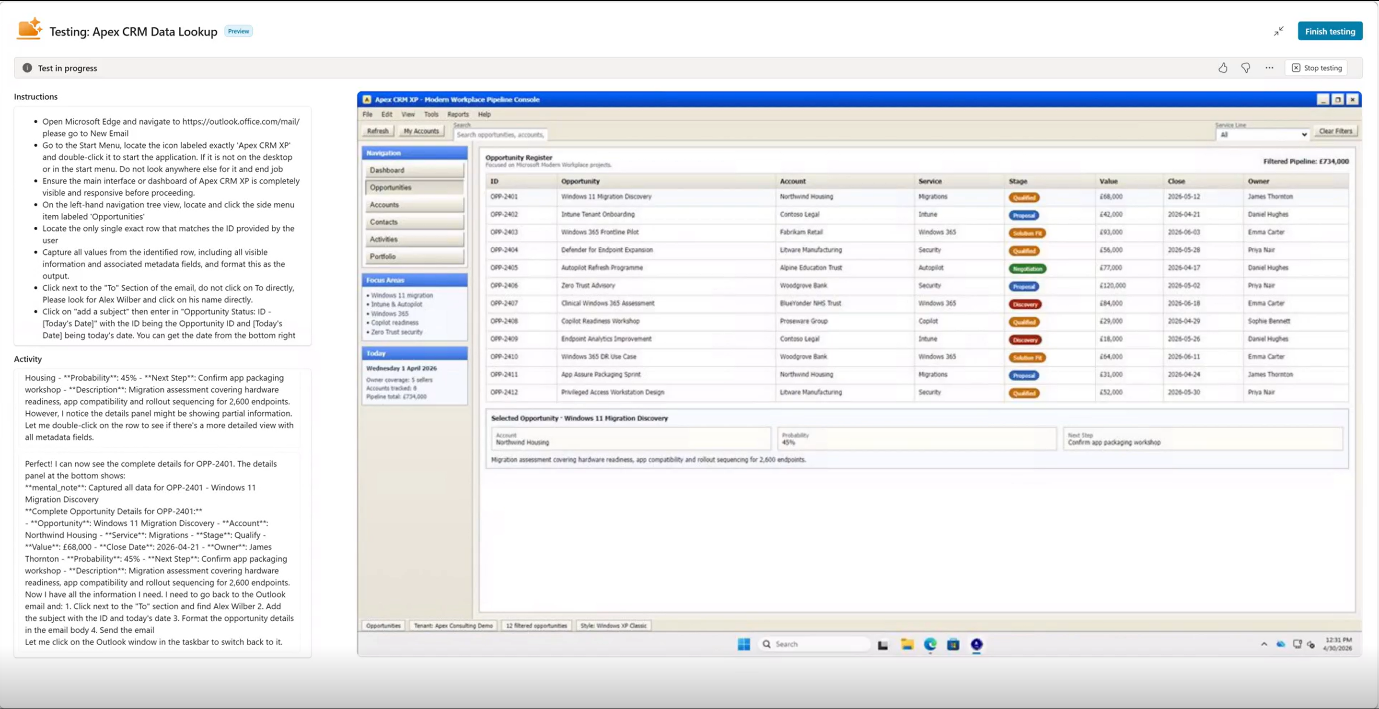
For a CRM that has resisted every modernisation effort thrown at it for over a decade, this is a quiet revolution. There is no integration project. There is no schema mapping. The agent is reading the application exactly as a sales rep would.
Once it has the data, it flips back to Outlook, composes a personalised email for each recipient, and sends it.
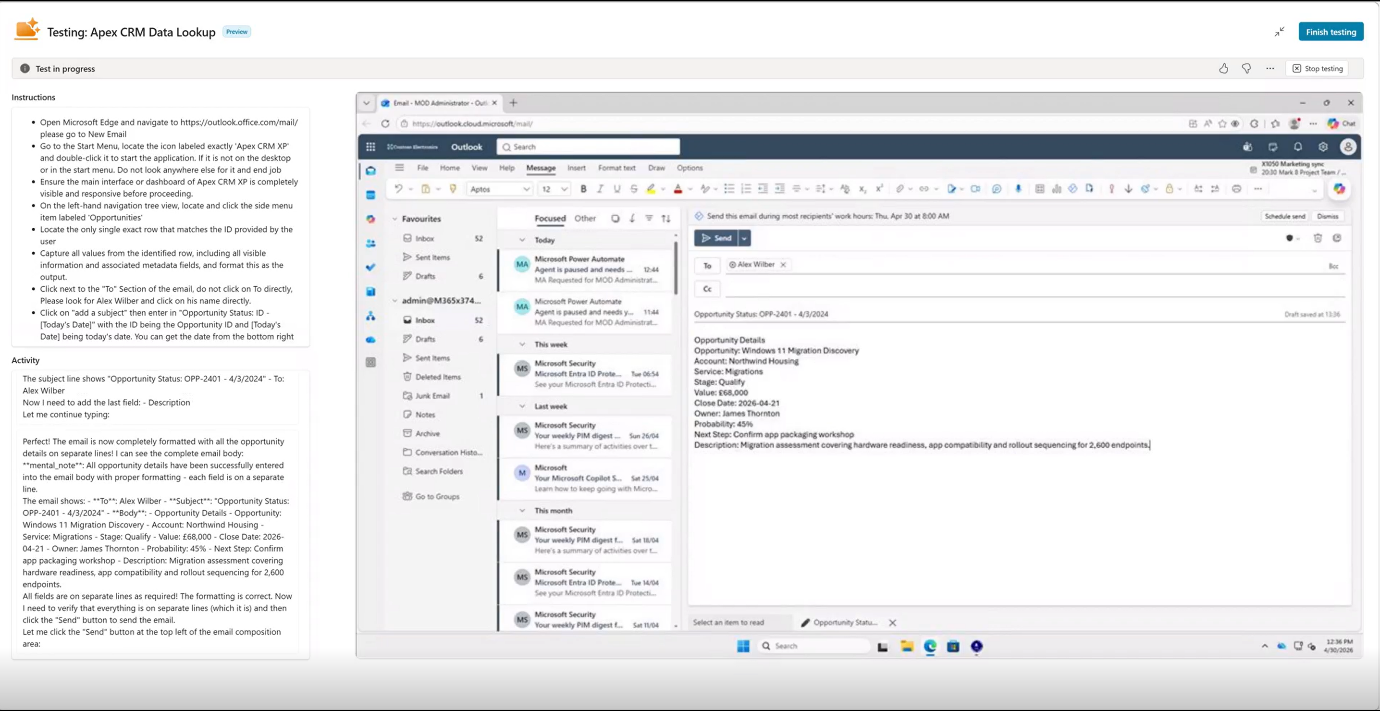
By 7:45am, every relevant stakeholder has a digest of their pipeline waiting for them. The Cloud PC checks back into the pool. The lights go off.
Why This Matters at the Top Table
If you are reading this and wondering what it means for your business, here is the headline. Windows 365 for Agents lets your existing legacy applications participate in the agentic era without you having to rebuild them. That is a serious unlock.
For Apex, the maths is uncomfortable in a good way. Fifteen sales reps, each losing 45 minutes a morning to opportunity lookups, is roughly 11 hours a day across the team. The Cloud PC can do the same job for a penny. Crucially, the legacy CRM can keep doing its job, and the firm avoids a replacement project it could not justify.
The governance story is where this gets serious for any C-level reader. Every Cloud PC is Intune-managed. Every action is auditable. Every email the agent sends is subject to the same Purview DLP policies as a human user. The Entra Agent ID makes the agent visible, governable, and revocable. There is no shadow agent tier sitting outside IT's control.
When Windows 365 for Agents hits General Availability, the inventory, lifecycle, and runtime controls will use the same operating system your organisation already understands, alongside all the same security measures. Same Conditional Access, same Defender, same Purview, same Intune. A new identity type with familiar plumbing.
The Honest Bits
Let's be honest. Computer-Using Agents are still relatively new. They occasionally need a human to step in for a credential prompt. UI changes to the legacy app can require a tweak to the instructions. I have even seen it click the wrong parts of the screen and then correct itself. I would not put one in front of a workload where milliseconds matter. They are at their best with batched, scheduled work that runs outside core hours. Exactly like a morning briefing run.
This is also still preview in the US and not available in many regions, hopefully coming to Public Preview in the next few weeks. So, we are not at the stage where we can roll this out to all organisations that need it yet.
Where Next
The Apex demo is intentionally simple. Outlook, a legacy CRM, and an email. But once you see it work, the implications get interesting quickly. Pricing portals. Internal HR systems. That bespoke quoting tool nobody dares modernise. Anywhere a person currently logs into a desktop app and copies data around, an agent can probably do the boring bit.
I will keep sharing what I find as the rollout broadens. If you are considering a similar use case in your organisation, I would love to hear about it. Feel free to contact me!